
The work, and the evidence it produced, on one record.
A project holds a piece of work: what it is, who is assigned to it and the commercial detail behind it. Jobcards carry the day-to-day tasks underneath. The forms, photos and checks raised while doing the work stay attached to the job that caused them, rather than accumulating somewhere separate.
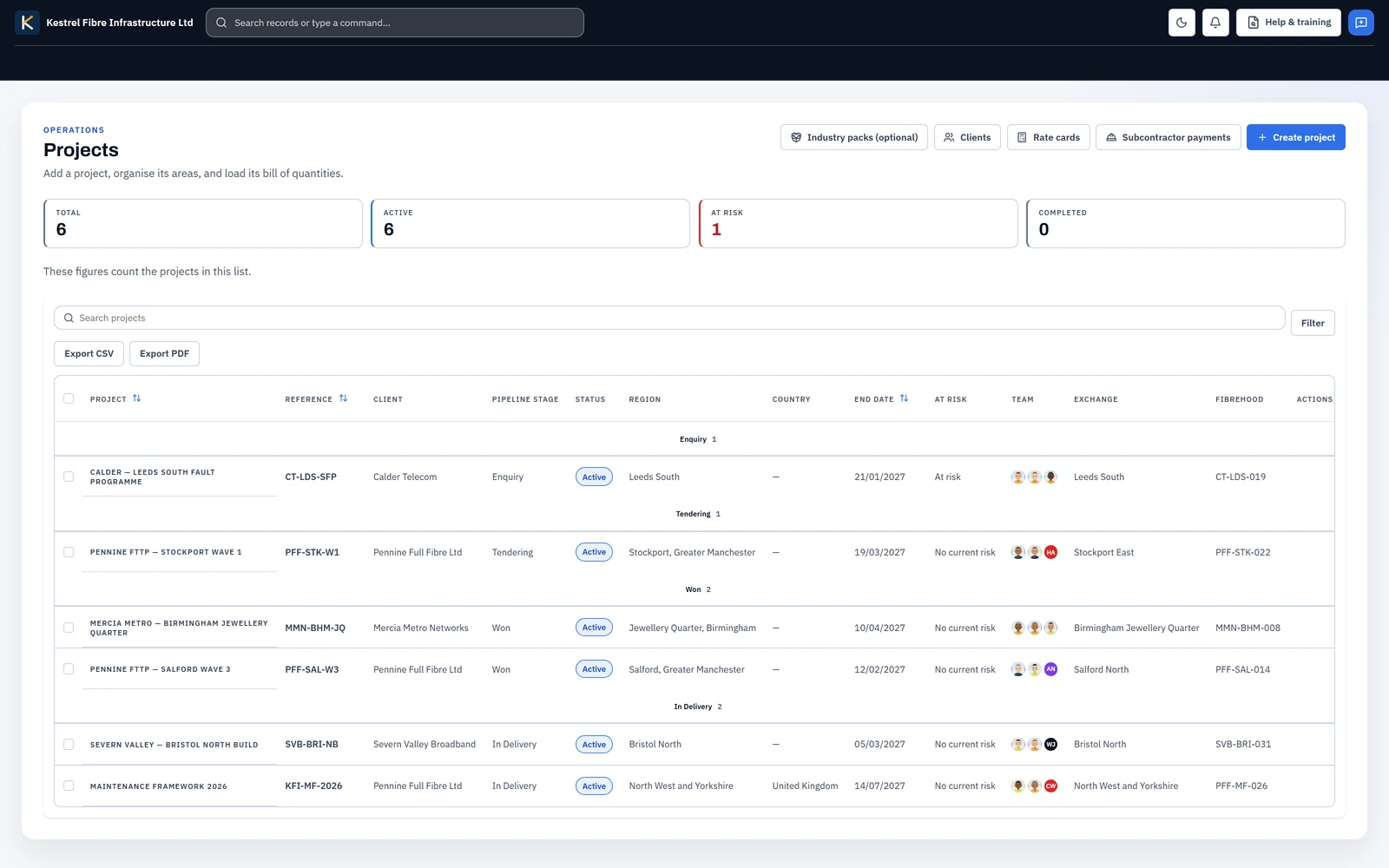
Real product screenshot, fictional sample company data. Projects register with active projects, pipeline stages, regions and end dates.
Projects above, jobcards below.
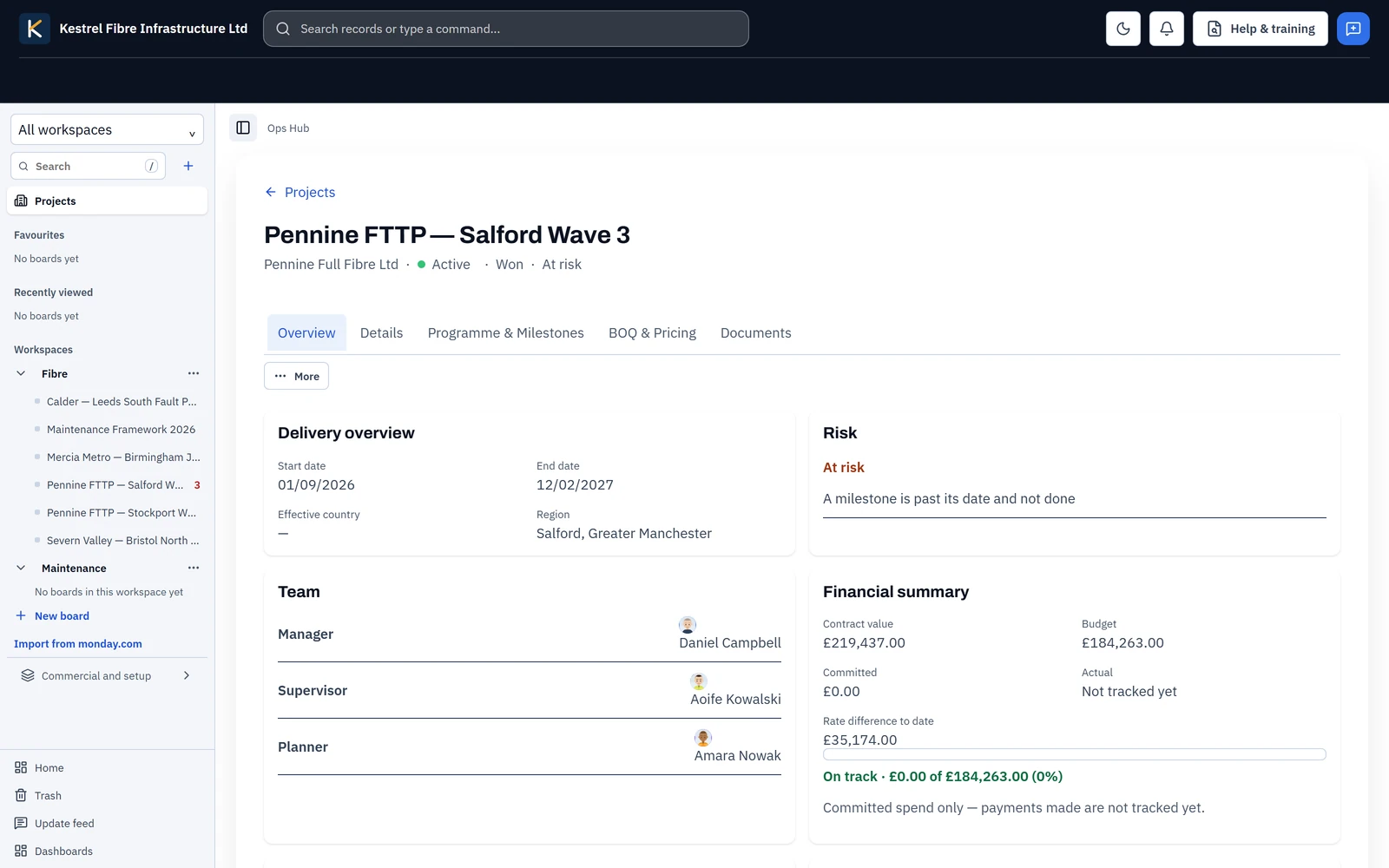
The scope, the people assigned and the commercial detail sit together, so the question “how is this job going” does not require assembling an answer from three systems.
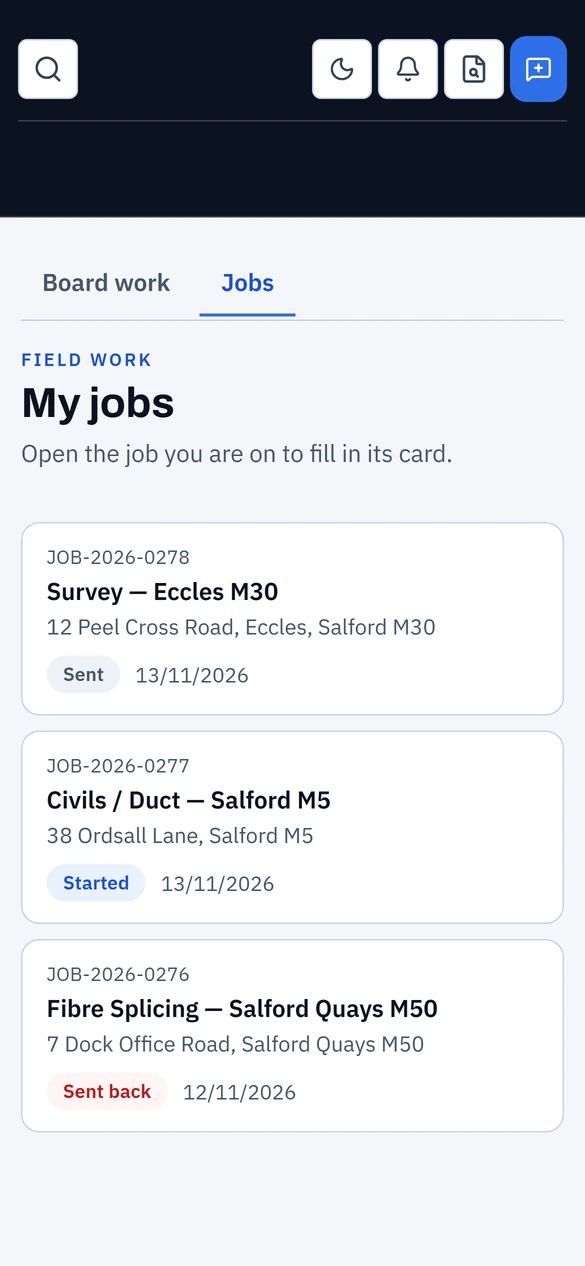
Give each person the day’s work.
Individual tasks are issued as jobcards to the people doing them. A field user sees the work that applies to them and nothing else, which is the same permission model the rest of the platform uses.
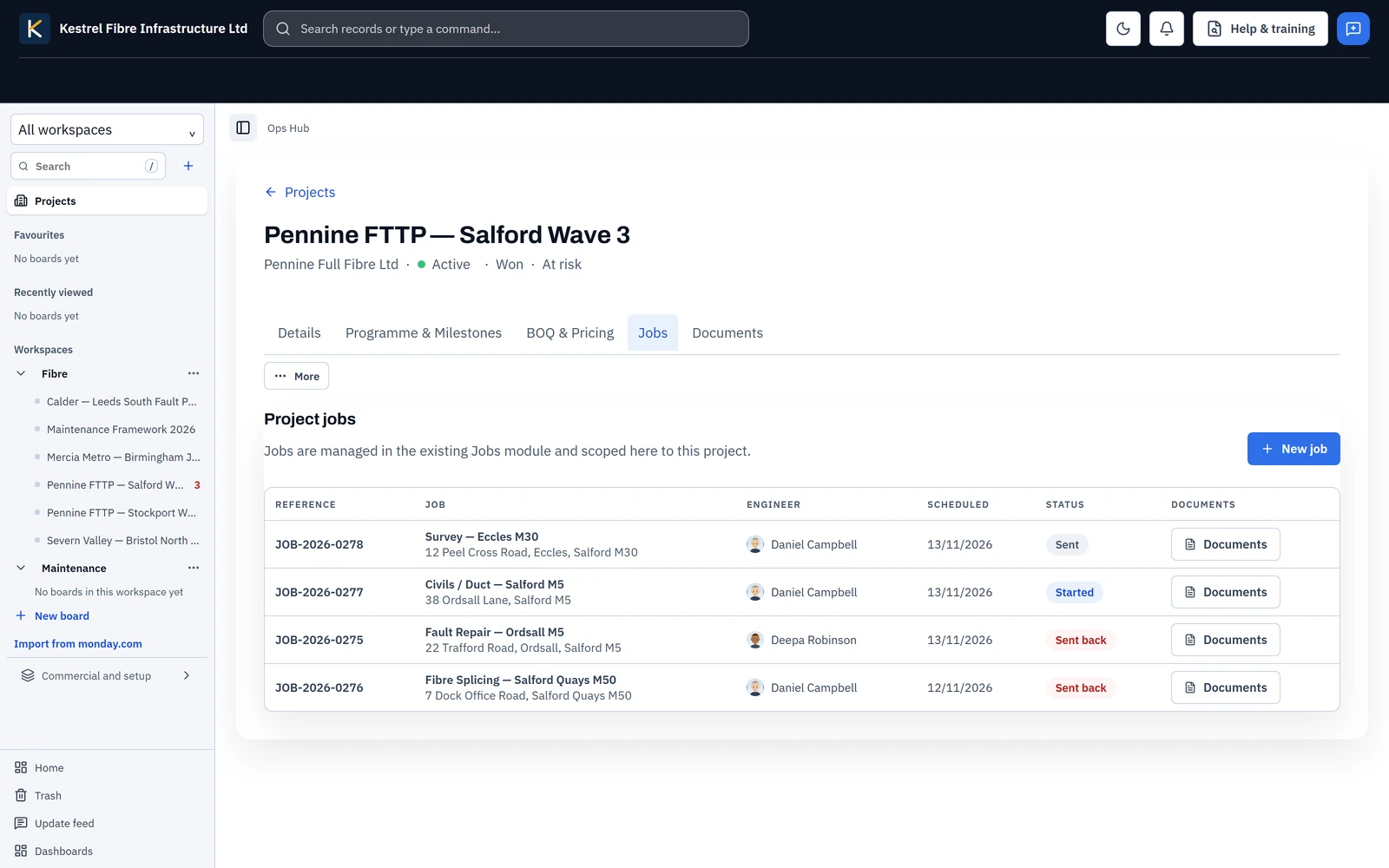
Keep the evidence with the job.
A form completed on a job, a photo taken on site, a check carried out before starting — each stays linked to the job it came from. When the work is questioned later, the record is already assembled instead of being reconstructed.
Boards that fit any kind of work.
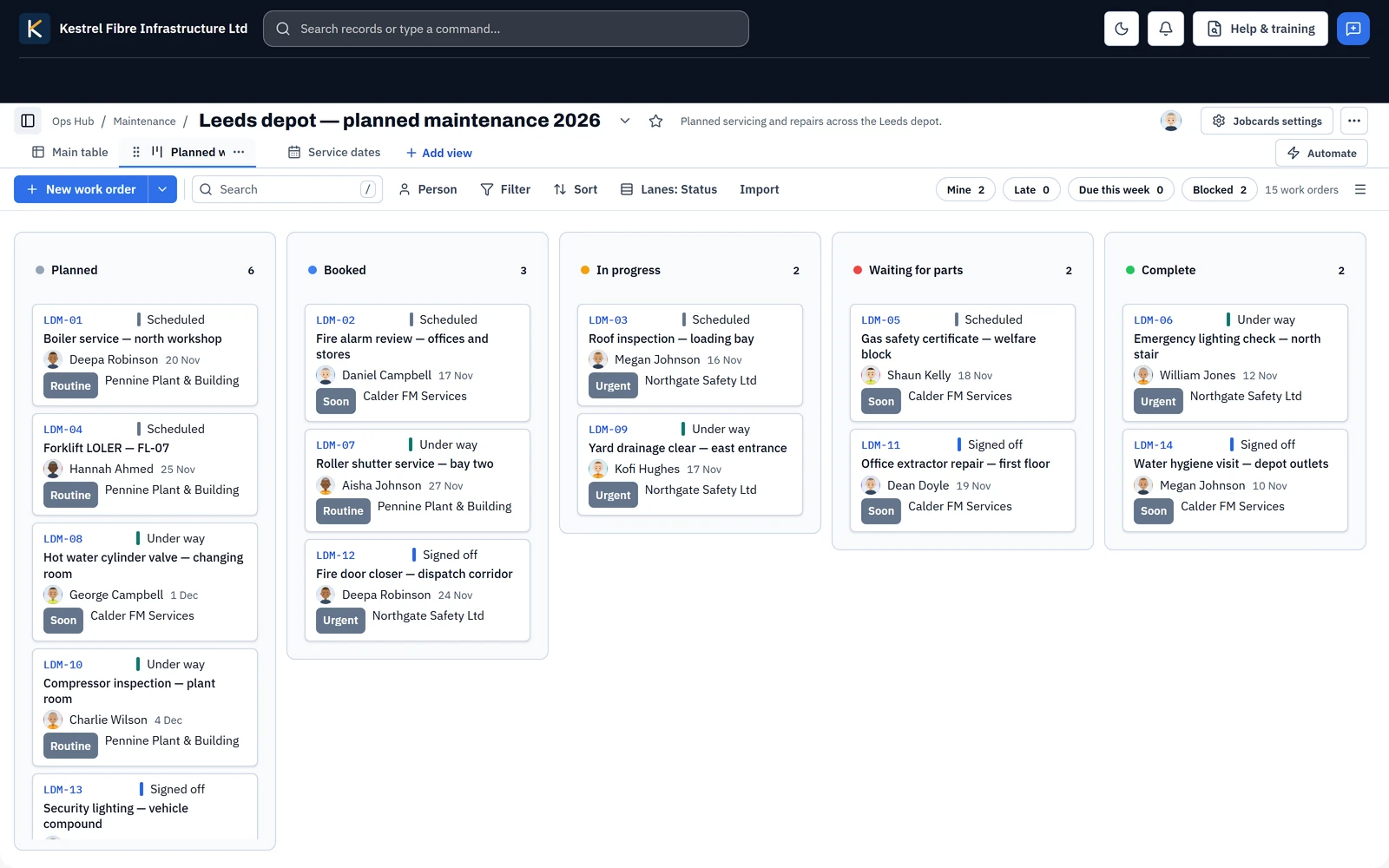
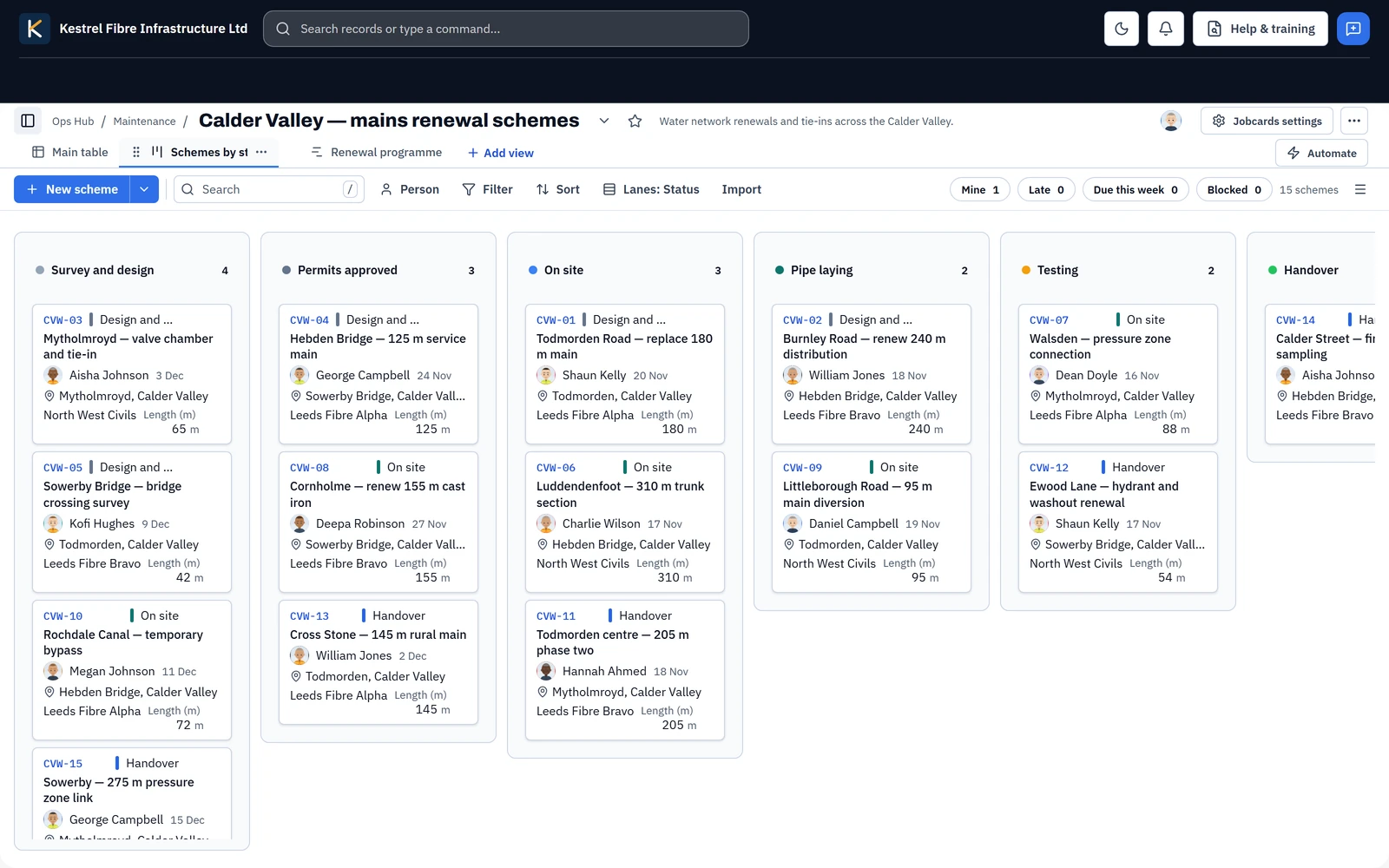
The Ops Hub is the boards area of the platform, and you shape its boards yourself. Columns, statuses, views and automations are yours to add, rename or remove, so the same tool can run a fibre build, a water scheme or a maintenance programme.
A planned maintenance programme. A water mains renewal.
Two boards from the same sample company, set up for very different work: a depot’s planned maintenance, and a run of water mains schemes with pipe length and gang.
Start from a template for your sector.
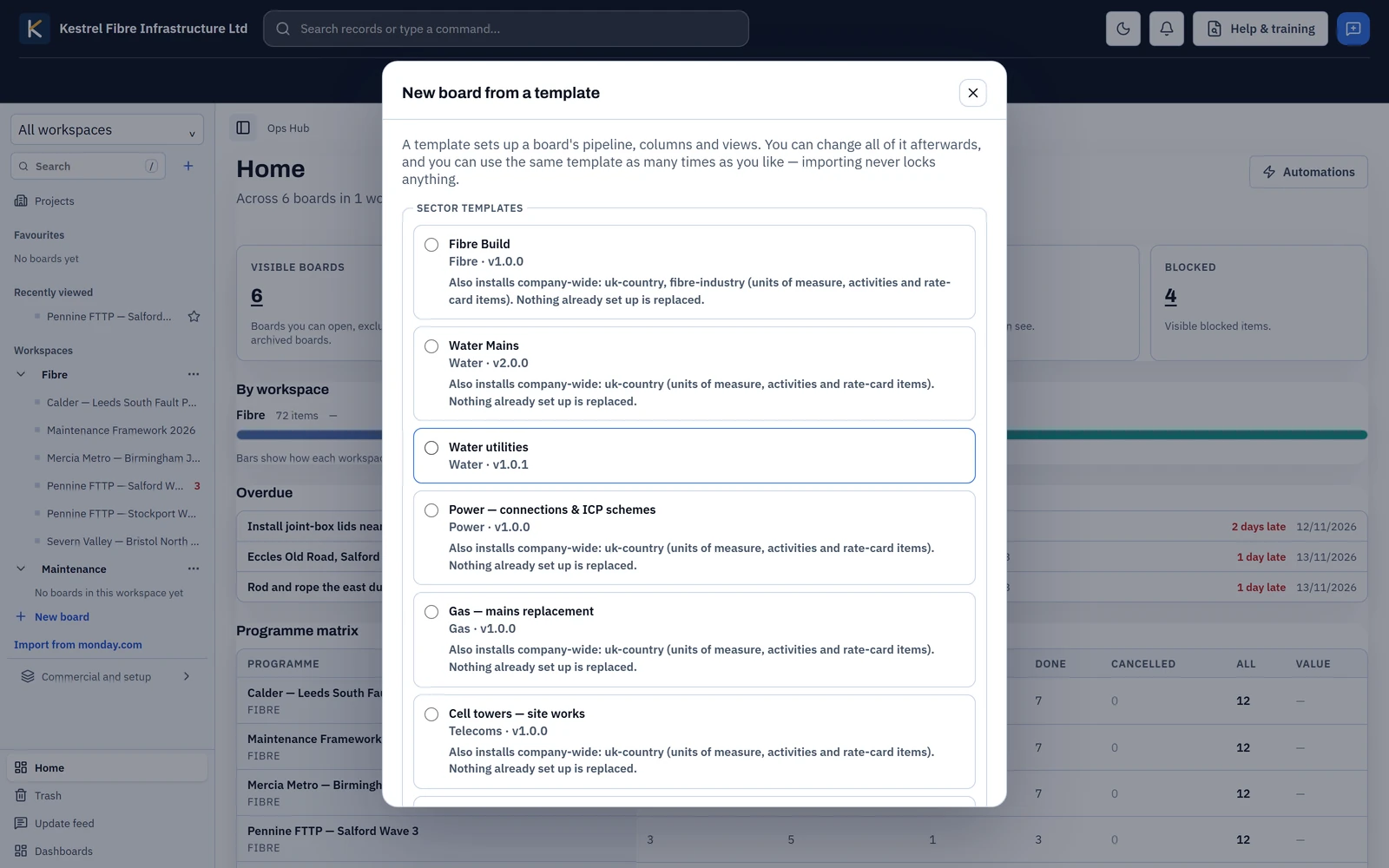
A new board can start from a sector template, such as fibre build, water mains, power connections, gas mains replacement or cell tower works, with the pipeline, columns and views already set up. Everything in it can be changed afterwards.
Columns for the way you actually work.
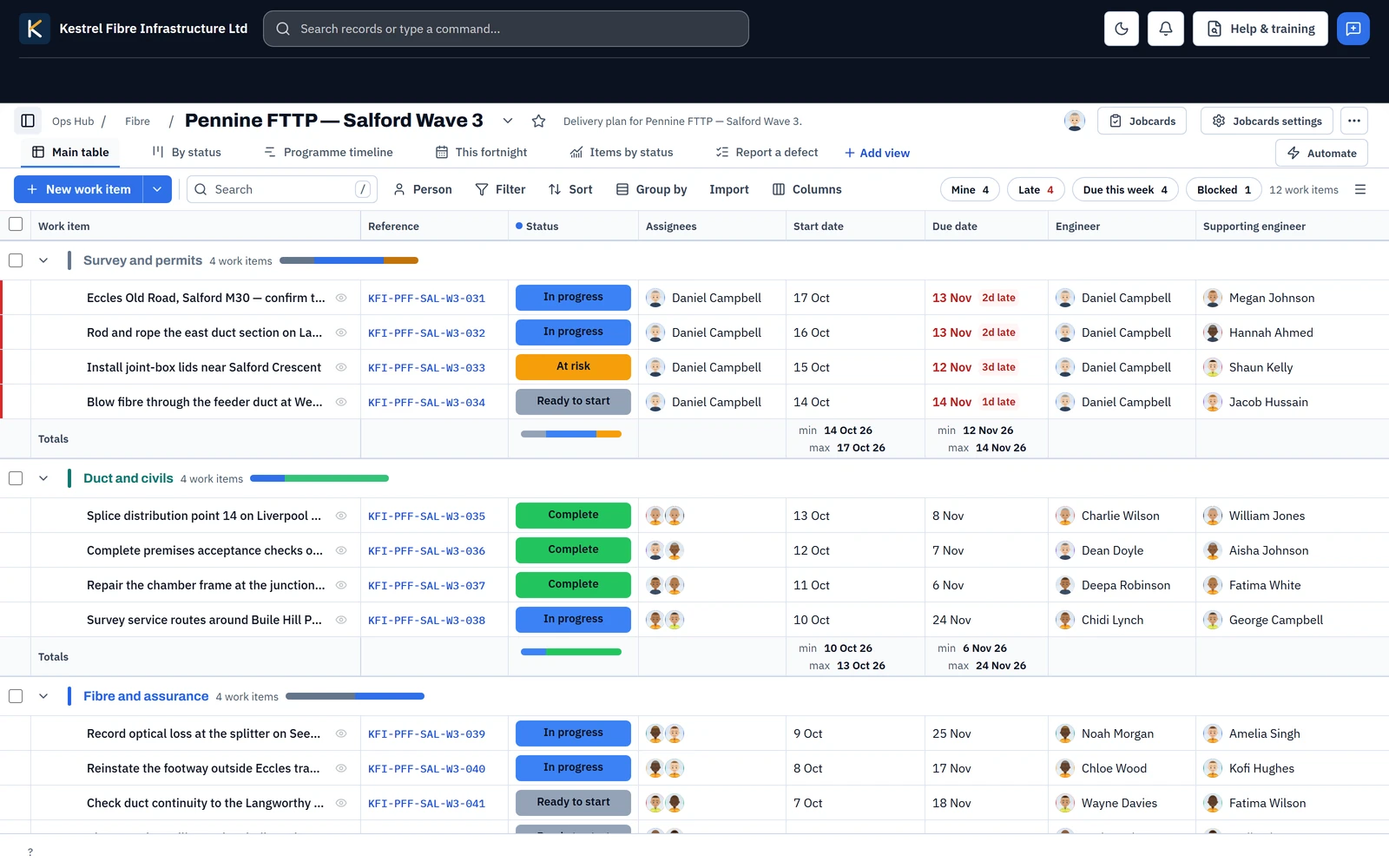
Add the columns your work needs from around thirty column types: statuses with colours you define, people, dates, money, files, formulas, ratings, links to other work items and more. Nothing is fixed, so any column can be renamed or removed.
See the same work nine ways.
Switch between table, kanban, calendar, timeline, map, capacity, chart, form and files views of the same board. Share a view with the team, or keep one for yourself.
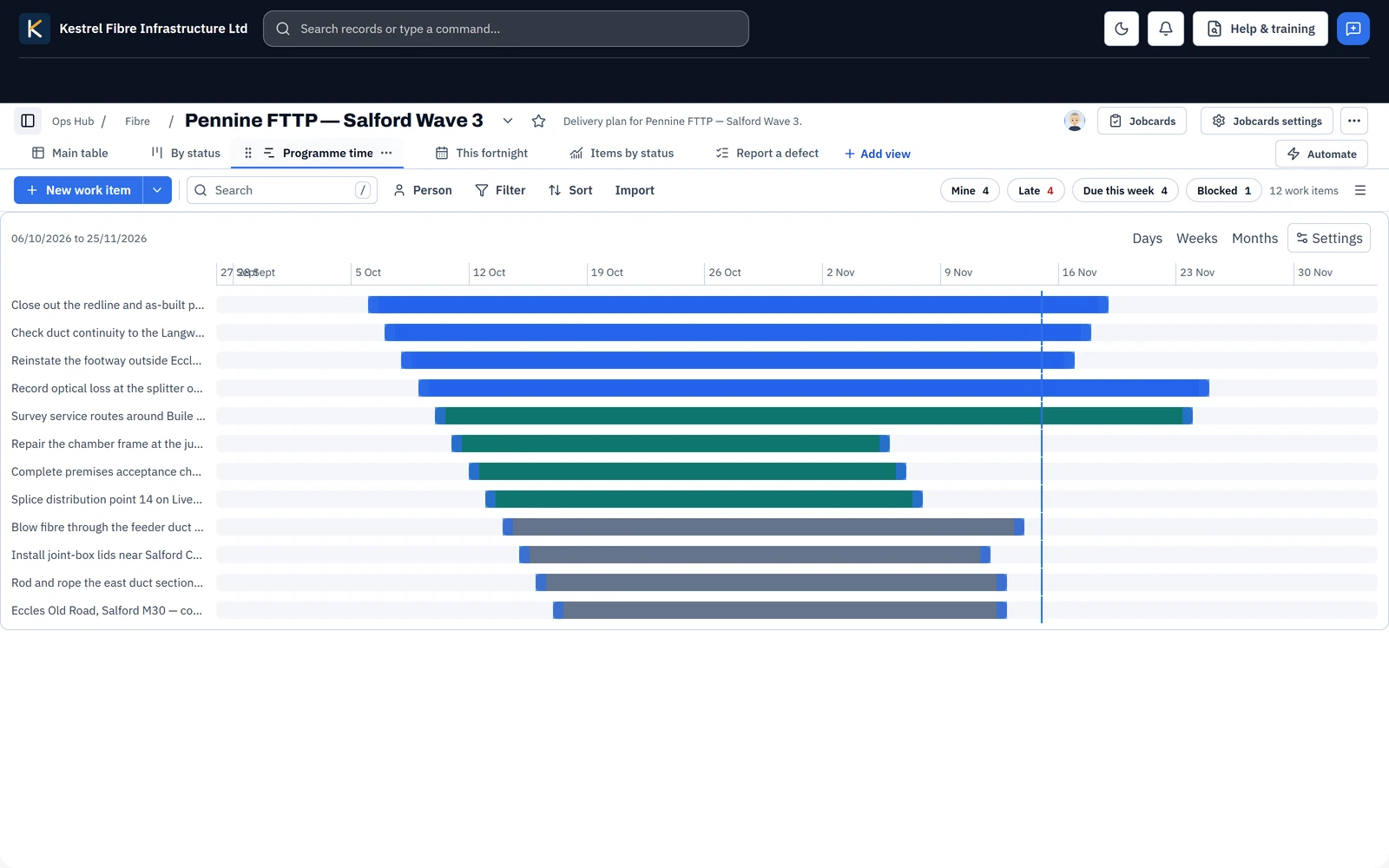
Let the board do the follow-up.
Automations follow a plain pattern: when something happens, check a condition, then do something. A library of ready-made recipes covers status changes, new items, deadlines, jobcards and notifications, and you can build your own from scratch.
Everything about a piece of work in one place.
Open any work item to see its status, people, dates and fields beside its updates, comments, files and history, without leaving the board.
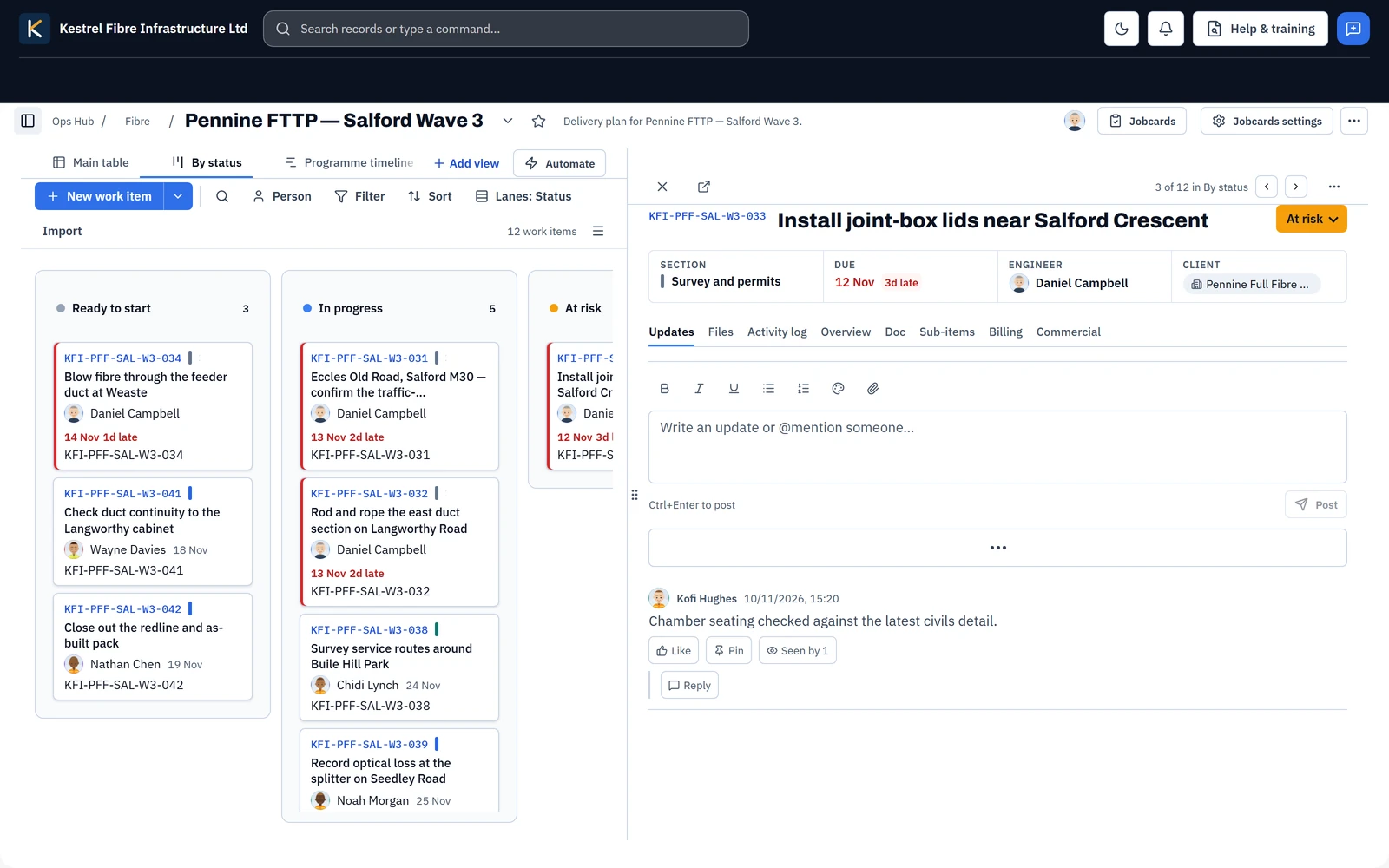
One job. The record stays together.
The scope, assigned people and commercial detail sit together.
The rest of the platform is already connected.
The people, vehicles, stock and safety records a job draws on are the ones already held elsewhere in the platform. Booking stock to a job, or recording who was qualified to do it, uses the same records rather than a copy.
Work that runs longer than a day.
Installation and build programmes, planned maintenance, multi-visit repairs, and any operation where several people contribute to the same piece of work over time and someone has to account for it afterwards.
Frequently asked questions
How do projects and jobcards fit together?
A project holds the scope, the people assigned and the commercial detail. Individual tasks are issued as jobcards to the people doing them.
What happens to forms and photos from a job?
Forms, photos and checks stay linked to the job they came from, so the record is already assembled when the work is questioned later.
Can we set boards up for our own kind of work?
Yes. Start from a sector template or a blank board, then add, rename or remove columns, statuses and views to match how your work is done. Nothing on a board is fixed.
Is projects a separate product?
No. Projects and jobcards are part of the same platform as everything else.
Start with a focused demo.
Tell us how your operation runs. A person reviews the request and arranges a demo.